What file format and codec does the dashcam use for video recordings?Updated 8 months ago
Understanding the file format and codec your dash cam uses can be helpful when you're transferring videos to your computer, editing footage, or sharing clips online. ROVE dash cams are designed to record high-quality video in formats that are widely compatible and easy to manage.
Here’s everything you need to know.
File Format Used by ROVE Dash Cams
All ROVE dash cam models—including the R2-4K, R2-4K PRO, R2-4K Dual, R2-4K Dual PRO and R3 record video files in: MP4 format (H.264 or H.265 codec)
🔶 File extension: .mp4
🔶 Container format: MPEG-4
🔶 Codec: H.264 (AVC) or H.265 (HEVC), depending on the dash cam model and settings.
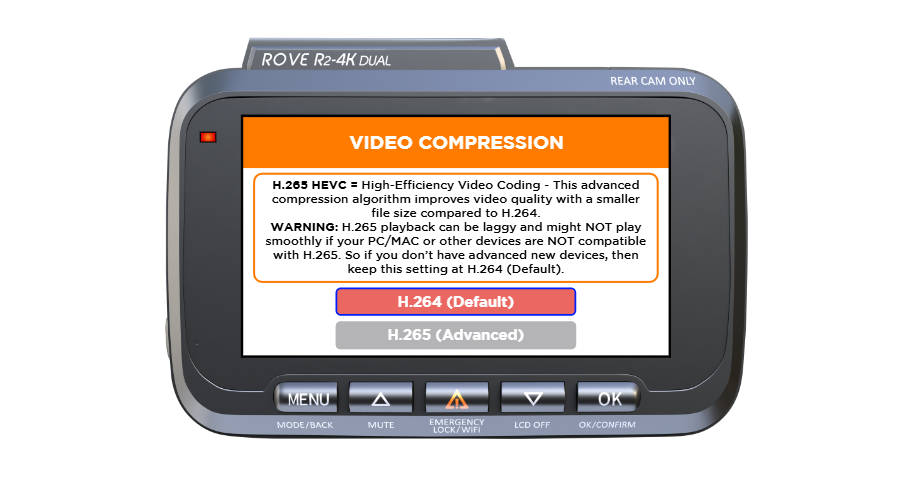
What’s the Difference Between H.264 and H.265?
H.265 HEVC = High-Efficiency Video Coding - This advanced compression algorithm improves video quality with a smaller file size compared to H.264.
ROVE dash cams may offer two codec options, depending on your model:
H.264 (AVC) - Widely compatible with most computers, media players, and editing software.
H.265 (HEVC) - More efficient compression, which means smaller file sizes without reducing quality.
Some newer dash cams like the R2-4K PRO and R3 use H.265 by default.
Tip: If you're having trouble opening or playing a video file, make sure your media player supports H.265. We recommend using VLC Media Player or Windows 10 Movies & TV, which support both formats.
Video Resolution and Bit Rate
ROVE dash cams offer different recording resolutions depending on your model:
🔶 R2-4K / R2-4K PRO / R2-4K Dual Front): Up to 3840 X 2160 - (Ultra HD 4K)
🔶 Rear Cam (Dual Models): Up to 1920 X 1080 (Full HD)
🔶 R3 (Triple Channel): Front, cabin, and rear channels all record at Full HD or above, depending on selected settings.
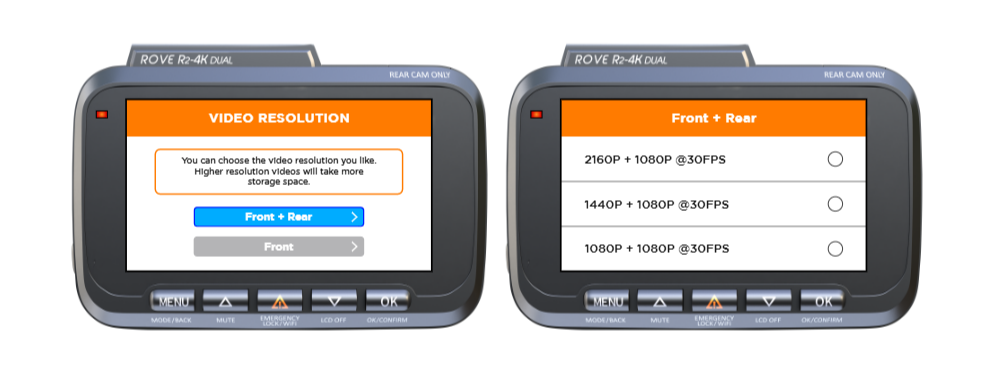
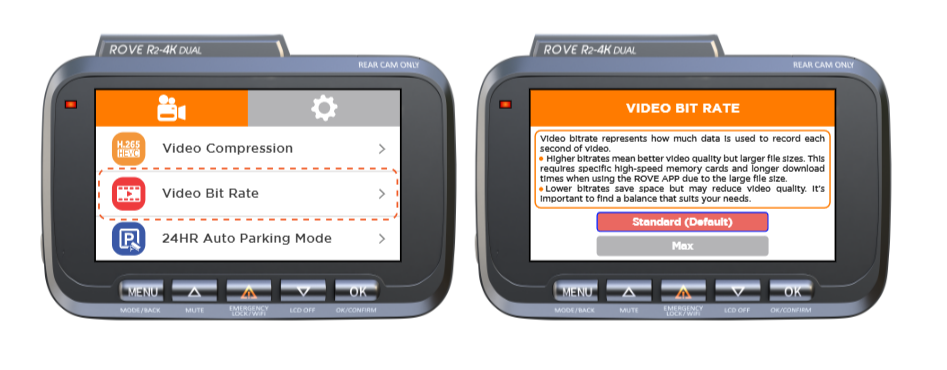
Note: Higher resolution and bitrate settings will result in larger MP4 files, but they provide more clarity, especially when zooming in to capture license plates or fine details.
Where Are the Videos Stored?
All recordings are saved to a microSD card inserted into the camera. Files are organized into folders by type:
🔶 Normal recordings
🔶 Locked (emergency) files
🔶 Parking mode clips
🔶 Photos (if captured)
You can view and download the videos using:
🔶 The ROVE app (via Wi-Fi connection)
🔶 A card reader on your computer Or,
🔶 Directly connecting the camera to your PC via a USB cable (on supported models).
If you're unsure which codec your camera is using or how to switch between H.264 and H.265 (if supported), feel free to contact us with your model and firmware version. We’ll be happy to walk you through it.
CUSTOMER SERVICE:

Email Us: 📩[email protected]
Text Us: 📲1-844-768-3226 (For faster response)