Can I play 2 videos using the ROVE GPS Player?Updated 8 months ago
Great News! You Can Now View Multiple Camera Angles Simultaneously Using the ROVE GPS Player for PC & Mac.
We're excited to share a helpful feature for ROVE dashcam users: the ROVE GPS Player for PC and Mac now supports viewing two to three videos at the same time, perfect for reviewing footage from your front, rear, and even cabin cameras in a single view.
This makes reviewing your driving footage more efficient and insightful, especially when analyzing
incidents or simply replaying memorable drives.
How to Use Multi-View on the ROVE GPS Player
Follow the steps below to get started:
1. Download the Latest ROVE GPS Player
Head over to the official ROVE support page and download the most updated version of the GPS Player compatible with your operating system (Windows or macOS):
https://www.rovedashcam.com/pages/firmware-update-downloads
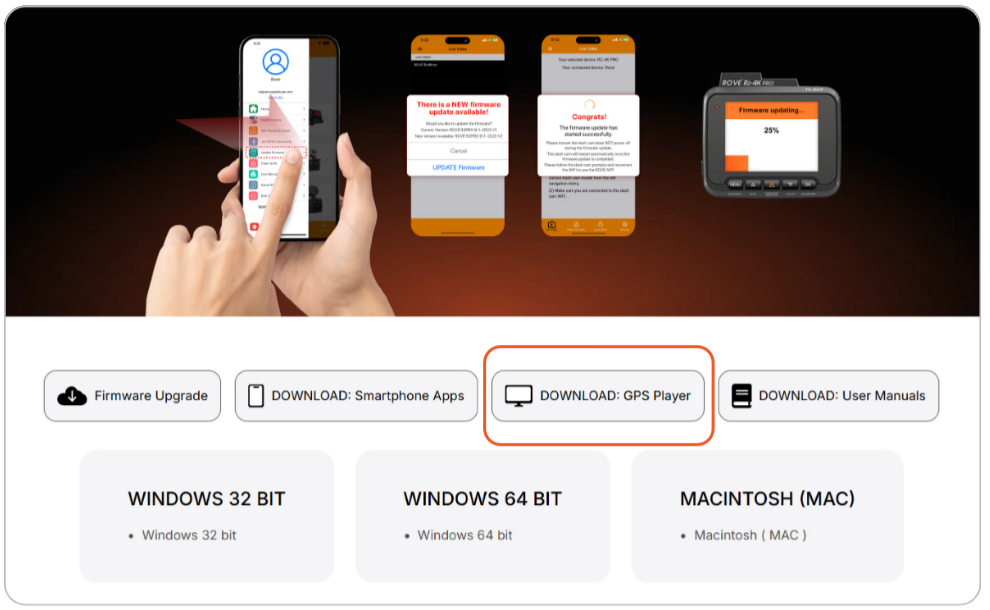
2. Connect Your Dashcam or Memory Card to Your Computer
🔶Remove the memory card from your dashcam or connect your dashcam directly to your PC/Mac via USB.
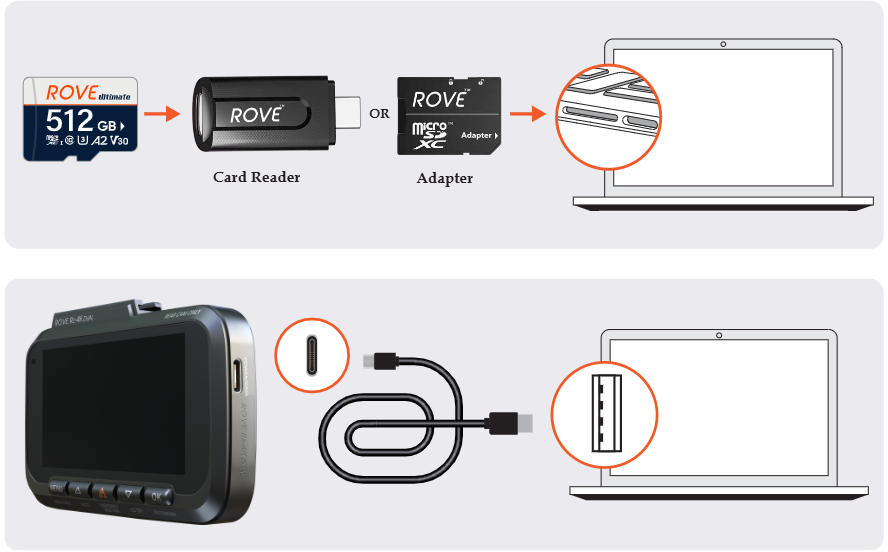
🔶 Open File Explorer (Windows) or Finder (Mac) and locate the drive associated with your dashcam’s memory card.
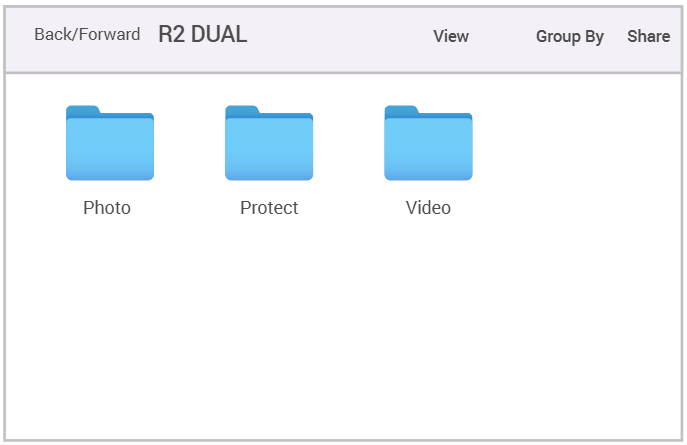
3. Access the Video Files
🔶 Within the memory card, open the “DCIM” or “Video” folder.
🔶 You will see separate folders labeled FRONT, REAR, and sometimes CABIN, depending on your dashcam model.
🔶 Copy the video files you wish to view from each of these folders onto your desktop or a local folder for easier access.
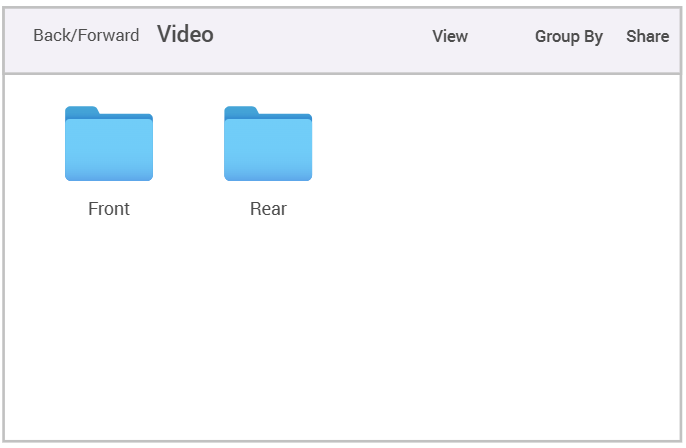
4. Load and View Videos Simultaneously
🔶 Open the ROVE GPS Player, and click on the gear icon (settings) and choose the play mode for multiple video playback.
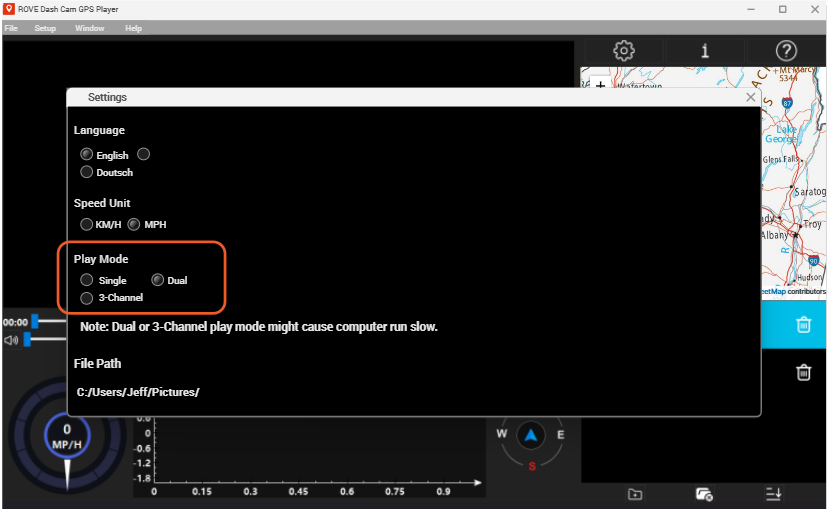
🔶 Load your video files into the player by dragging them into the window or using the “Open File” option.
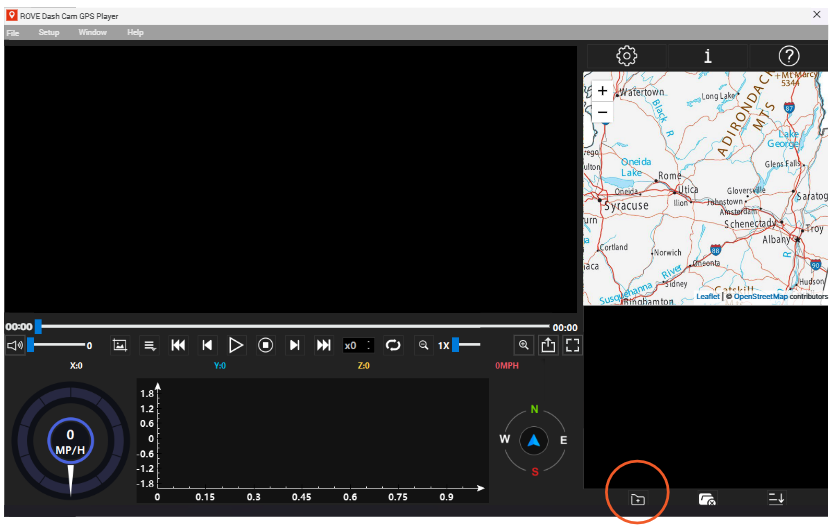
🔶 Right-click or double-click each video in the list to open it in a new playback window within the software.
You can now view synchronized playback from different camera angles, all in one place.
Tips
🔶For the best experience, ensure your computer meets the software’s minimum system requirements.
🔶Playback may vary depending on video resolution and system performance.
🔶To compare clips from the same time frame, look for video file names with matching timestamps across each folder.
This multi-view playback feature is just one of the ways we’re making ROVE dashcams more powerful and user-friendly. Stay tuned for more exciting updates and features!
Need help? Contact our support team. We’re always happy to assist.
CUSTOMER SERVICE:

Email Us: 📩[email protected]
Text Us: 📲1-844-768-3226 (For faster response)